




5 min read
What is Superhuman Docs?
Discover the core building blocks of Superhuman Docs and how they work together.

What you'll get:
- What Superhuman Docs is
- How to get started with Docs AI
- The core building blocks
- How teams write, track, and build in Superhuman Docs

What you'll use
- Docs AI
- Pages
- Tables
- Automations
- Packs
Superhuman Docs is AI-native
The fastest way to build in Superhuman Docs is to start a conversation with Docs AI. Open the Docs AI panel, describe what you want in plain language, and Docs AI gets to work. It can draft an entire page, build a project tracker, create tables and views, organize information, summarize existing content, answer questions about your data, or even make changes throughout your doc. Unlike AI tools that live in a separate chat window, Docs AI works directly inside your workspace. It understands the context of your pages, tables, and data, so it can help you build, refine, and update work alongside your team, not just generate text.AI is built into your workflow
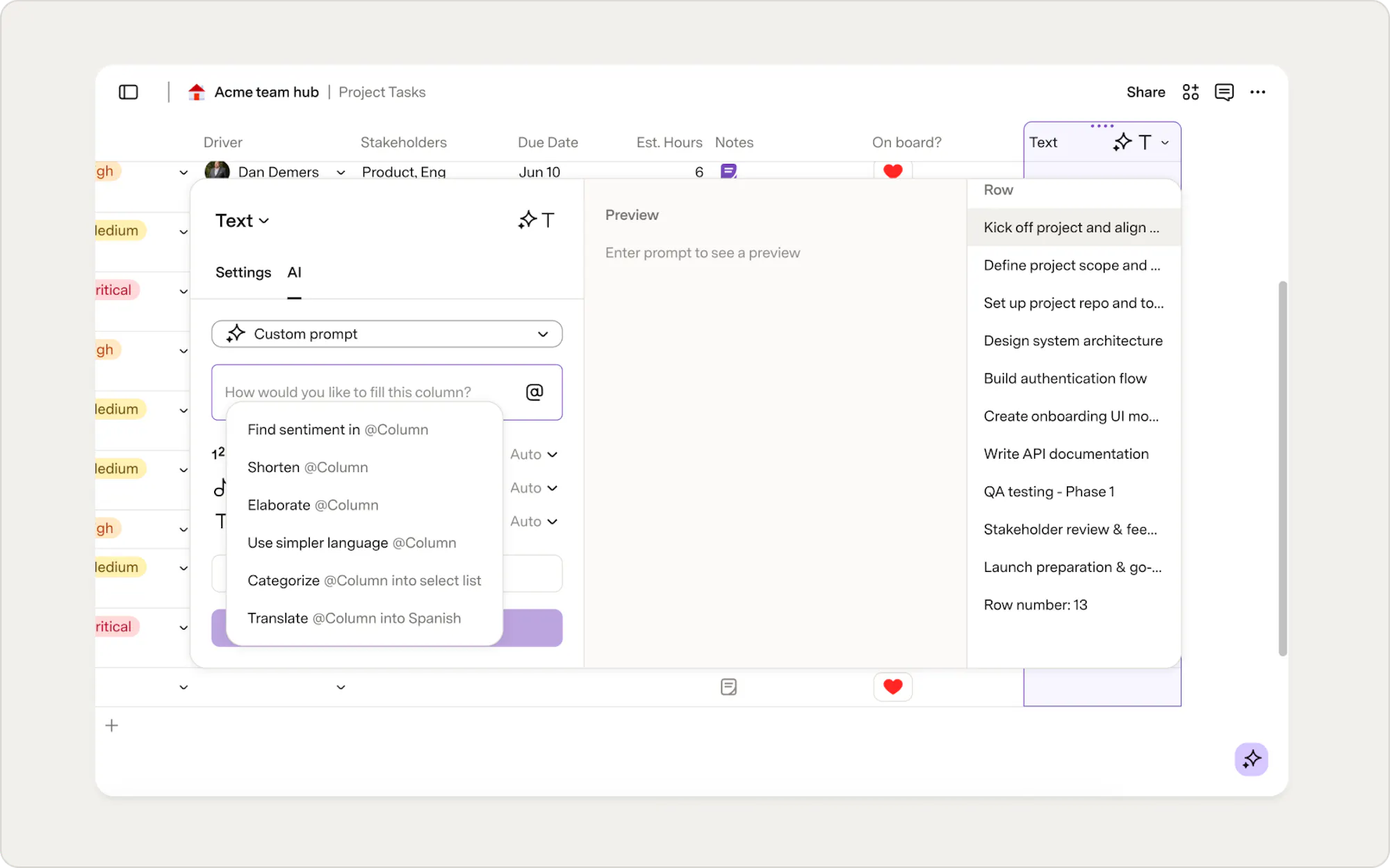
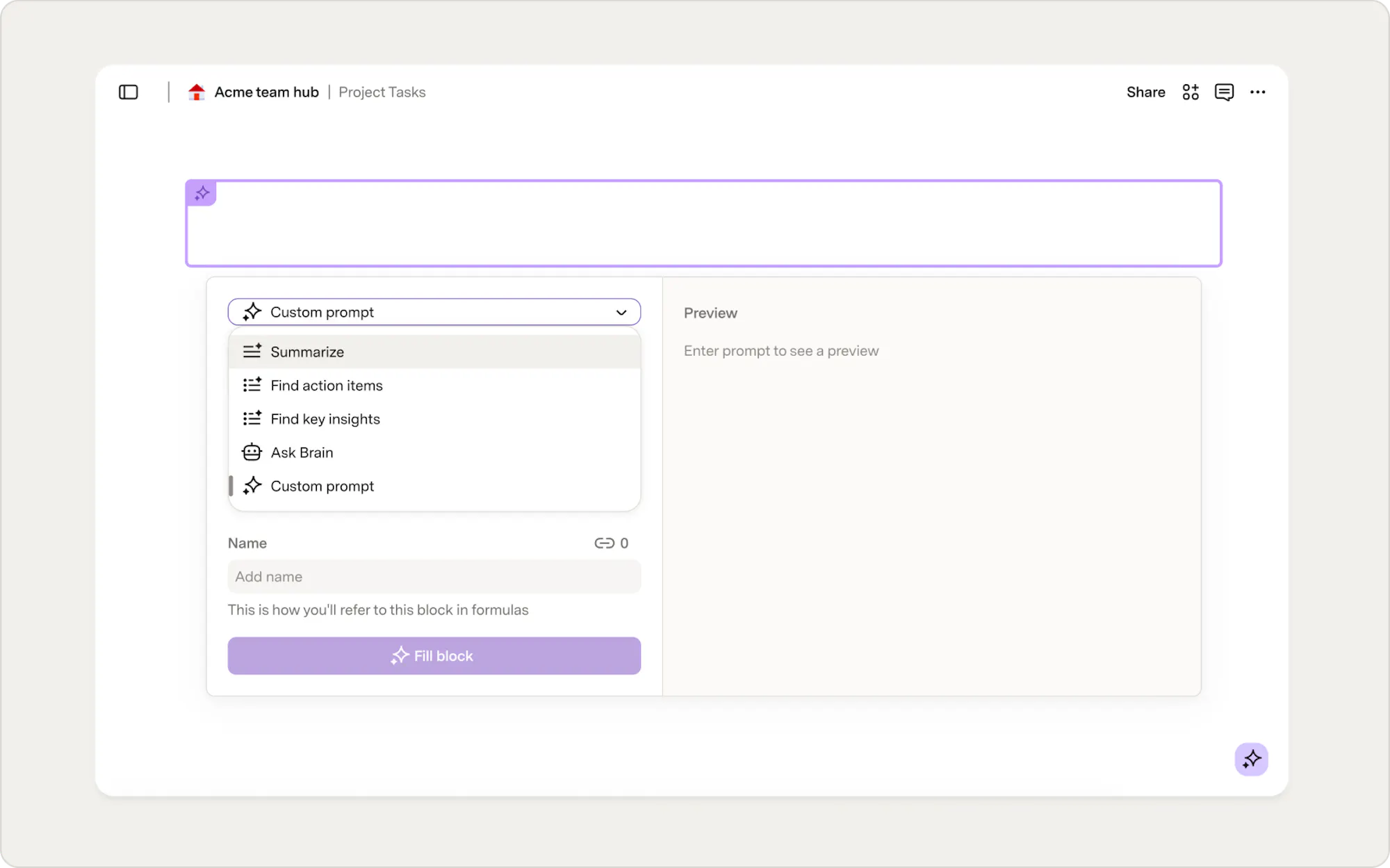
Docs AI isn't limited to the AI panel. You'll also find AI built into other parts of Superhuman Docs, making it easy to automate repetitive work and generate content as your docs evolve.AI columns
AI blocks
Organize your work with pages
Pages are the foundation of every Superhuman Doc, and they give your work structure. Start with a blank page or ask Docs AI to create one for you. If you need a project brief, team hub, meeting workspace, or knowledge base, Docs AI can generate the first draft, leaving you free to refine it with your team. You can add as many pages and subpages as you need, then organize them into a structure that works for your team. Each page can combine text, tables, images, buttons, embeds, and other building blocks in one place. This means your documentation and active work stay connected, giving your team one place to find information, collaborate, and take action.Customize your pages
Pages are flexible and can be customized to fit your team's needs. Add icons, cover images, outlines, columns, and callouts to create pages that are both informative and easy to navigate. Learn how visual formatting options can help you create interactive, engaging docs.Power your work with tables
Some work is better organized as structured data. When you need to track projects, tasks, customers, bugs, inventory, or other information, Superhuman Docs uses powerful tables that live alongside your documentation. Not sure where to start? Ask Docs AI to build a table for you. Describe the workflow you want to manage, and Docs AI can generate the table, columns, views, and structure you need. Unlike a traditional spreadsheet, Superhuman Docs tables are designed to power workflows. Sort, filter, group, and relate your data to organize it in the way that works best for your team. You can create multiple views of the same table, giving different teams the information they need without duplicating the data.
View your data your way
Different teams often need different perspectives on the same information. Create tables, boards, calendars, cards, charts, timelines, and other views to present your data in the format that works best for each audience, while keeping everyone working from the same source of truth.
Collaborate with your team
Great work doesn't happen in isolation, and neither does AI. Everything you create with Docs AI lives in your doc, so your team can review, edit, build on it, and move work forward together. Docs AI can also help summarize discussions, draft updates, and capture next steps, making it easier for everyone to stay aligned. Superhuman Docs brings your documentation, data, and conversations together in a single surface, reducing the need to switch between documents, chat, project trackers, and other tools.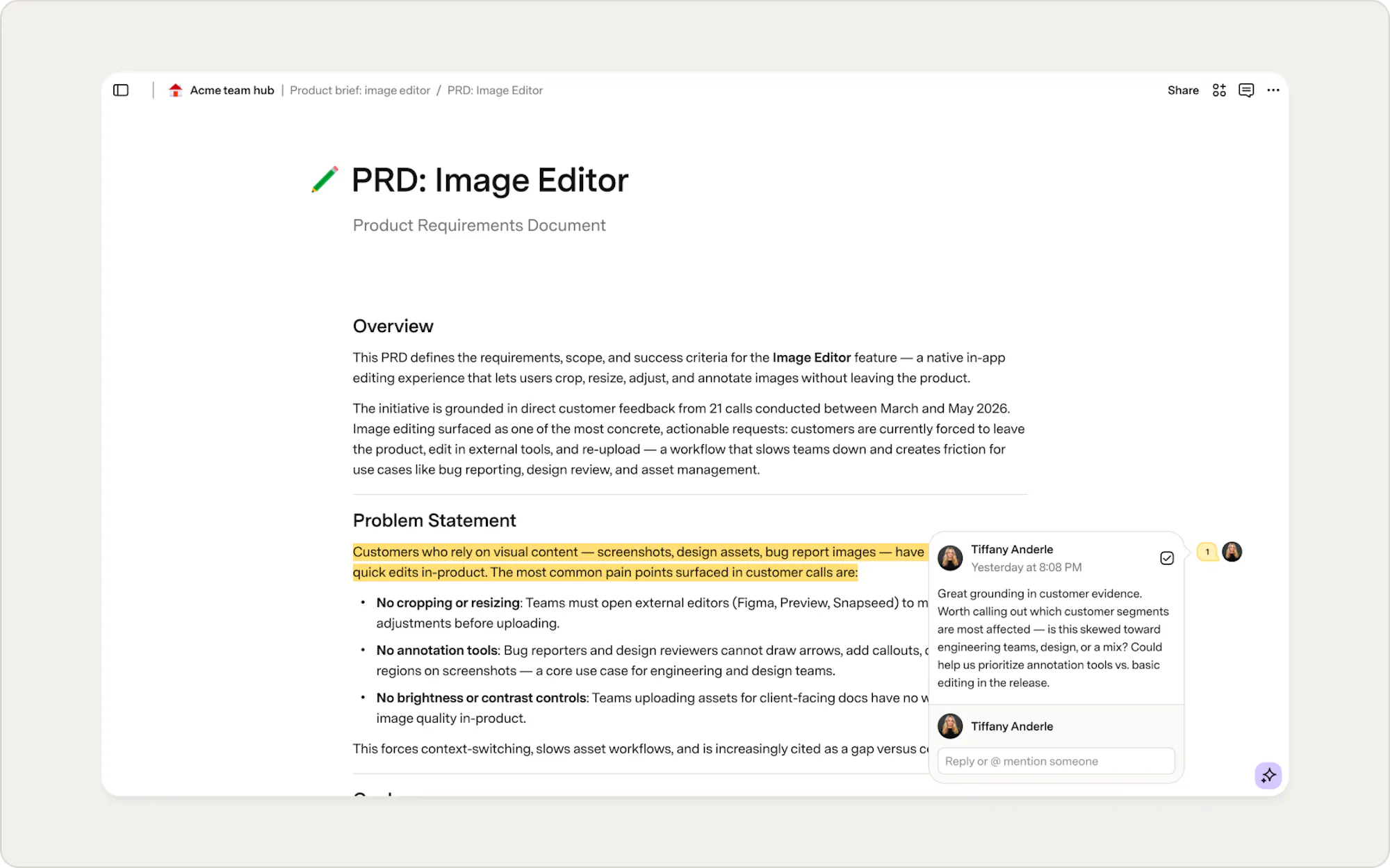
Automate your workflows
Start by using Docs AI to build a workflow, then customize it with buttons and automations to fit your team's process. Add buttons to your pages and tables so people can take action without leaving the doc, whether that's sending a Slack message, updating a record, or notifying a stakeholder.- Automatically hand off work from one team to another.
- Assign an owner when a new bug is reported.
- Send reminders before recurring meetings.
- Notify stakeholders when a project or request is complete.
Connect your tools
Superhuman Docs works alongside the tools your team already uses.Packs
Use Packs to connect applications like Slack, Jira, Salesforce, Google Calendar, GitHub, and hundreds more. Depending on the Pack, you can sync live data, trigger actions, build automations, and even update information in external tools without leaving your doc. Docs AI can also work with information brought in through Packs, helping summarize, analyze, and take action on data from your connected tools.Embeds
Not every workflow requires a live connection. Embeds let you bring documents, presentations, dashboards, whiteboards, videos, and other content into your pages, so your team can access everything they need without switching tabs.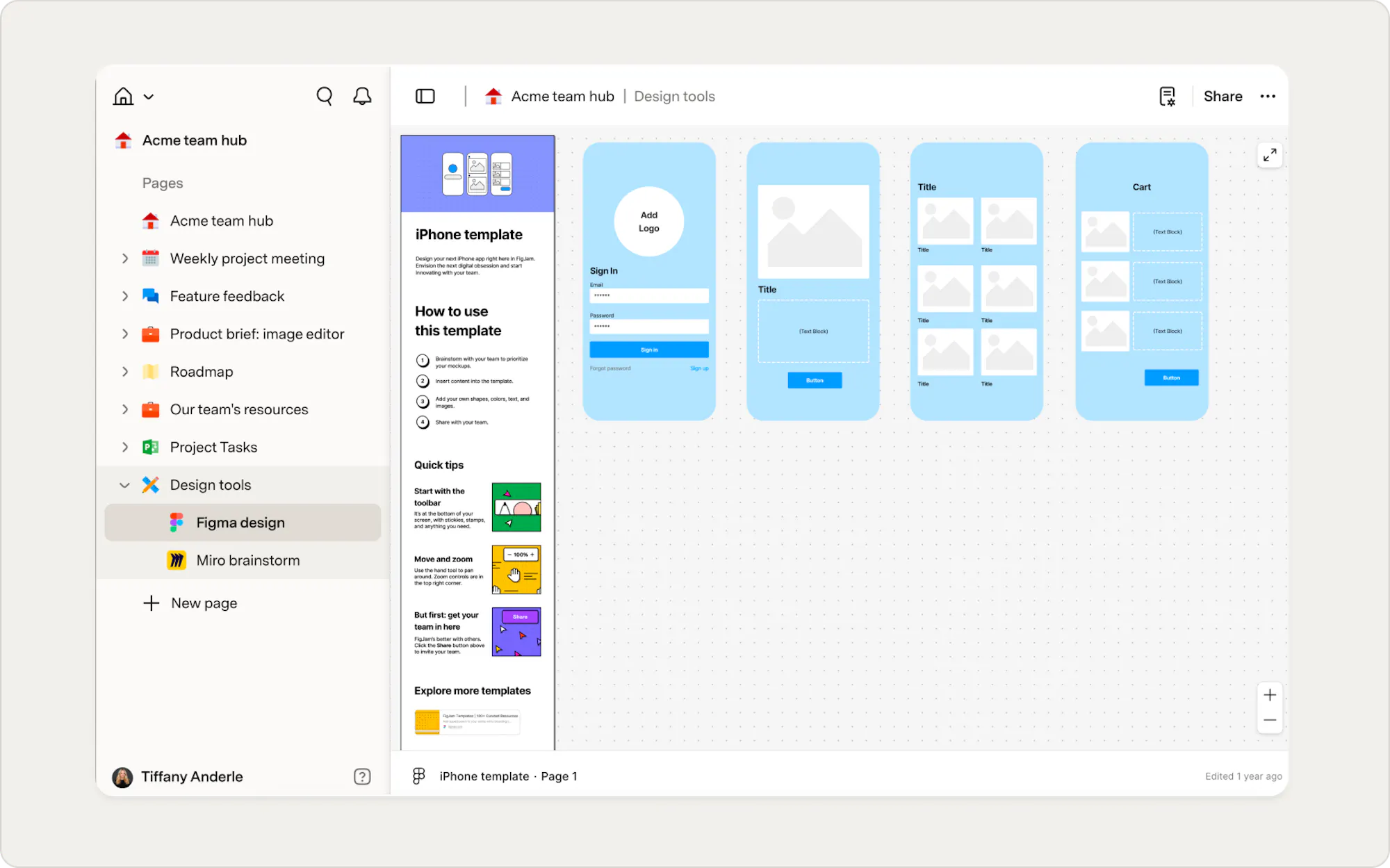
Build what your team needs
Every team works differently, and Superhuman Docs is designed to adapt. Start with Docs AI, then customize your workspace with pages, tables, automations, Packs, and other building blocks as your team's needs evolve. Teams use Superhuman Docs to build all kinds of solutions, like:- Project trackers
- Team hubs
- Product roadmaps
- Knowledge bases
- Meeting workspaces
- Customer feedback trackers
- Hiring pipelines
- Event planners
- Internal tools
Now what?
Docs AI is the fastest way to go from an idea to something your team can use. Explore these guides to learn what it can do next:- Getting started with Docs AI — a hands-on walkthrough of the Docs AI panel, AI columns, and AI blocks
- 11 prompts to try in Docs AI — ready-to-use prompts to get started right away
Was this helpful?
YesNo